Flip Finder
An AI-assisted Grand Exchange research tool that turns live RuneScape Wiki prices and RuneLite account context into ranked, explainable flip recommendations.
griffinseibold/Flip-FinderThe problem
Flipping on Old School RuneScape’s Grand Exchange sounds simple: buy at the price sellers are accepting, sell at the price buyers are paying, and keep the difference. Choosing a good item is harder. A promising margin can disappear after tax, a slow market may never fill, and every item has its own four-hour buy limit.
Flip Finder turns those moving parts into one question: what can I actually make with the coins and buy limits I have right now? It continuously ranks the market, then lets me either inspect the numbers myself or ask a local language model to find an opportunity for me.
Ask for a flip
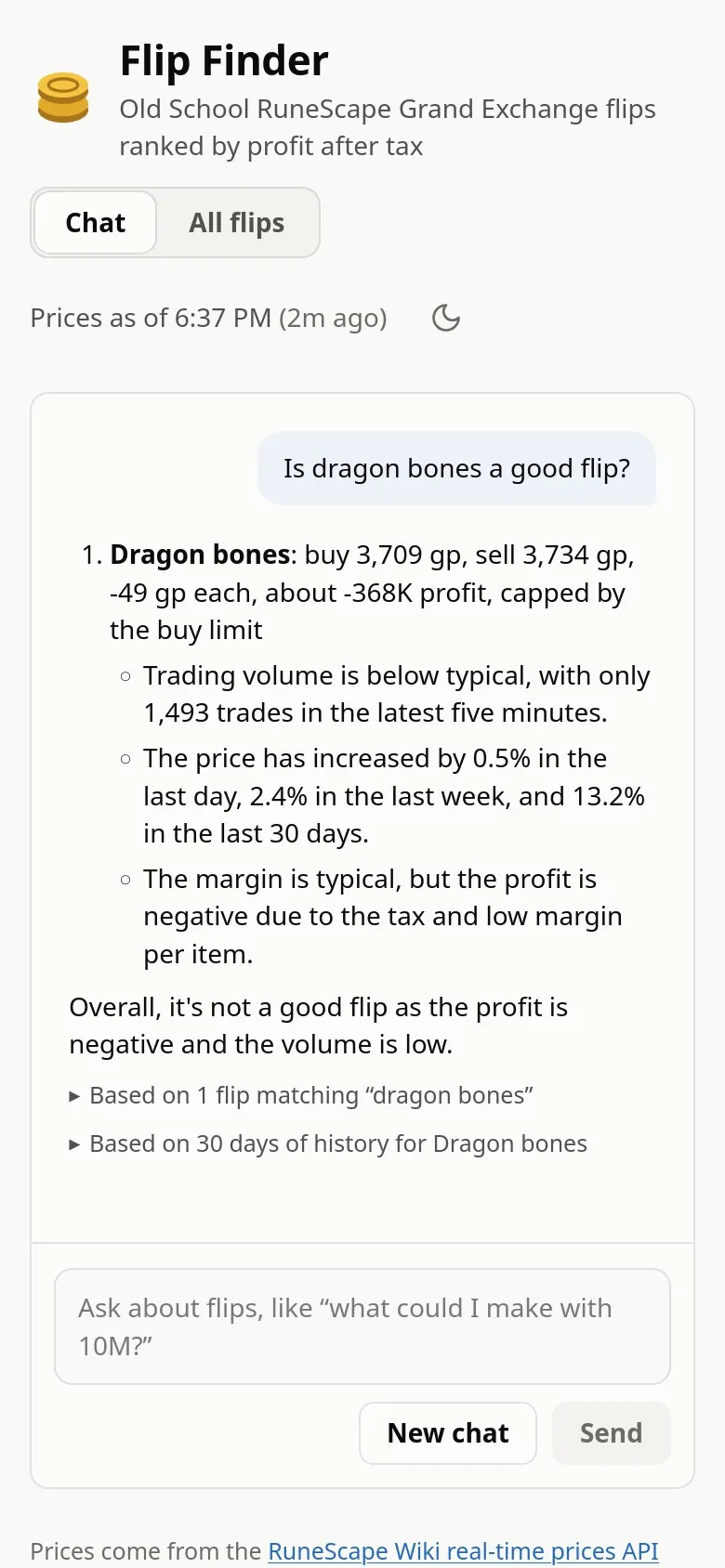
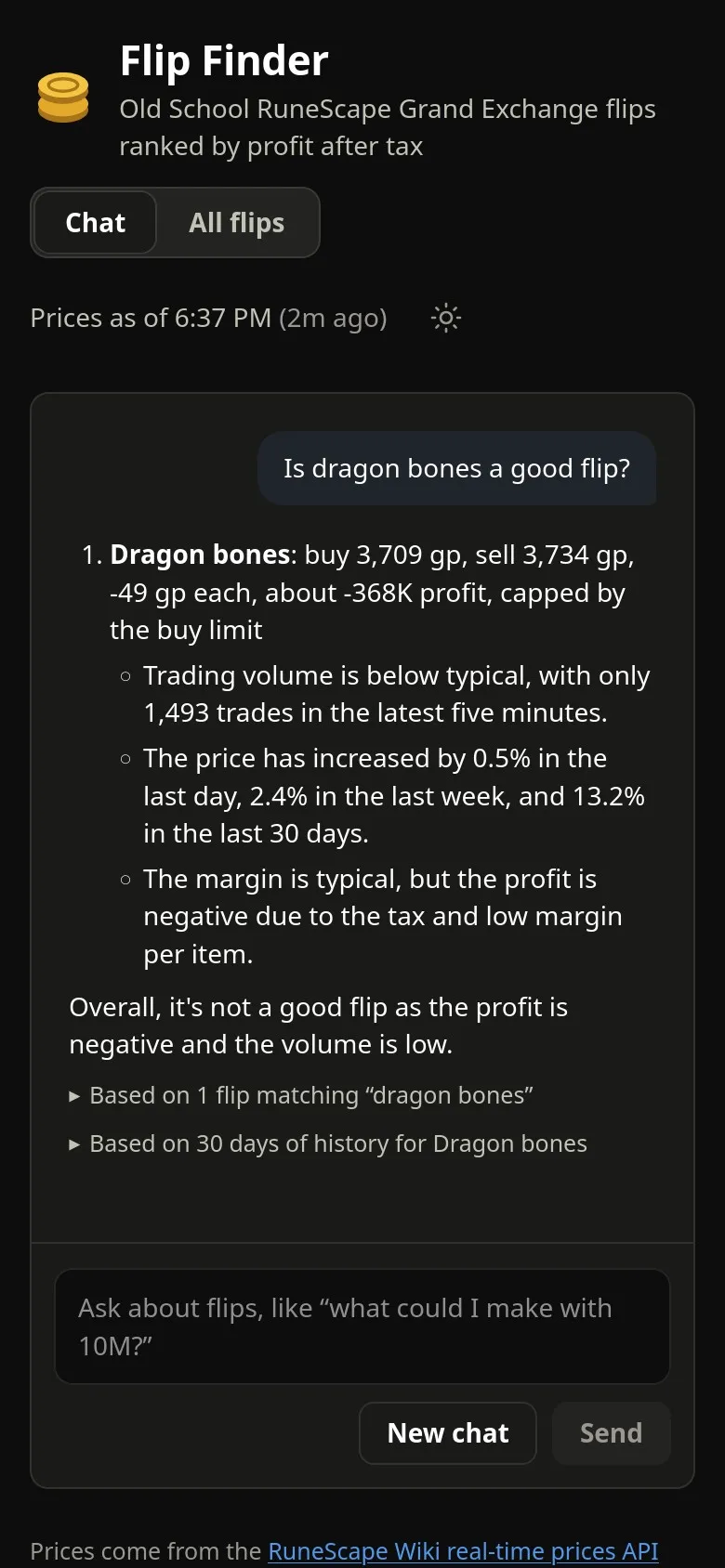
The homelab version opens on a chat backed by the model running on my own GPU. It can answer questions such as “what should I flip right now?”, “what could I make with 50M?”, or “is dragon bones a good flip?”
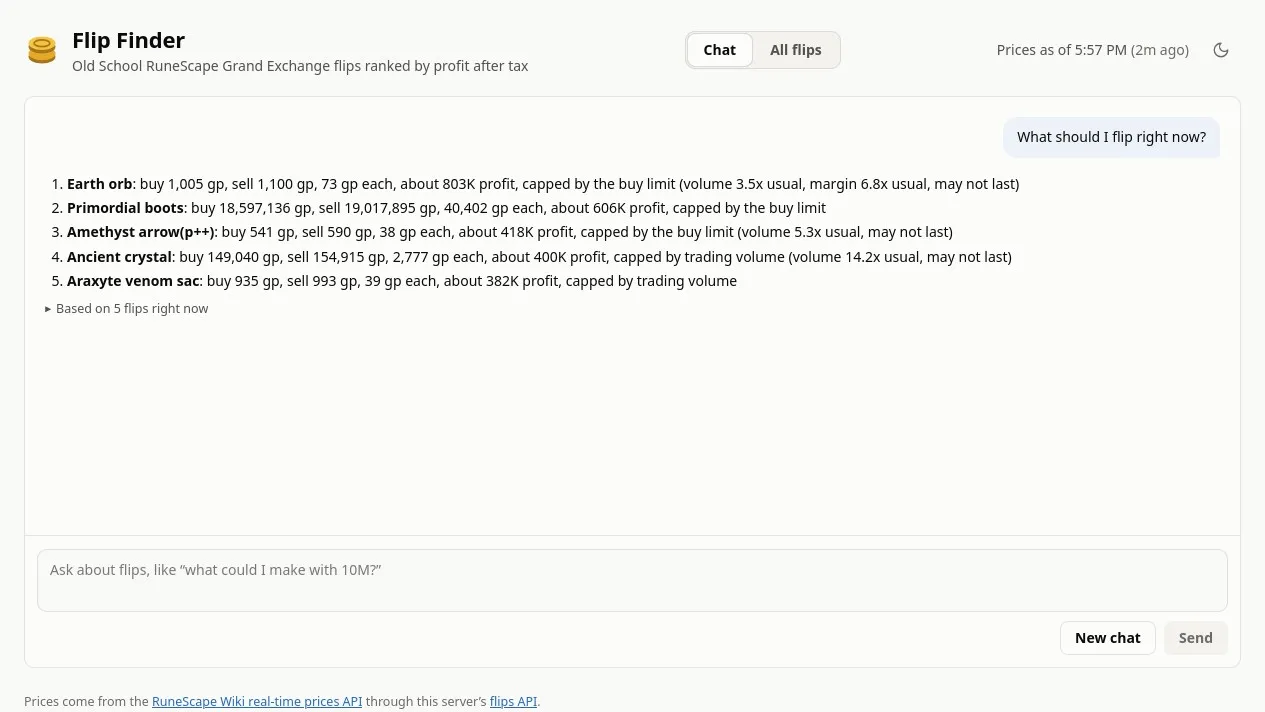
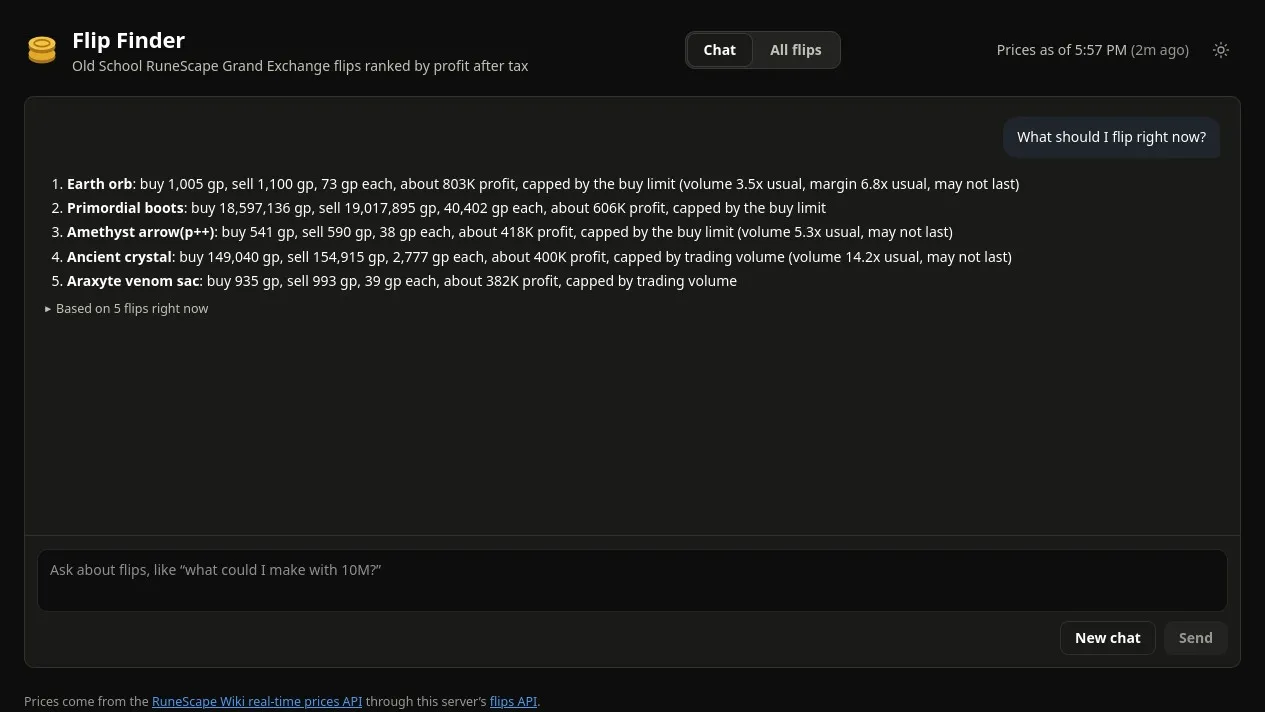
The model does not guess prices or do the market math itself. It calls the same ranked-flips API as the table, with structured filters for budget, item name and account. The answer keeps the important constraints—buy price, sell price, margin, estimated profit and what caps that estimate—and Based on N flips opens the exact rows it read.
Connect the companion RuneLite plugin and the answer becomes personal. It can use the account’s coins, membership status, active Grand Exchange offers and remaining buy limits, while the standalone version stays useful without any account data.
Running on the homelab, Flip Finder is available to any device on the same home network, so the chat works from a phone as well as a desktop. It is not reachable from outside that network.
How it works
Market data
RuneScape Wiki APIPrices, volume, items and buy limitsAccount context
RuneLite pluginCoins, membership, offers and used limitsSpring Boot + SQLite
One explainable ranking engineApplies tax, budget, volume, recency and four-hour limitsDirect exploration
Ranked flip tableFilter, sort and inspect every candidateGuided exploration
Local AI chatCalls the ranker, then links back to the rows it usedEvery five minutes, the backend makes three bulk requests to the RuneScape Wiki’s real-time prices API:
/mappingsupplies item metadata and documented buy limits./latestsupplies the newest instant-buy and instant-sell prices./5msupplies average prices and volume for the latest five-minute window.
The Spring Boot service stores that snapshot in SQLite and ranks candidates by estimated profit over one four-hour buy-limit window. The calculation subtracts Grand Exchange tax, caps quantity by budget and buy limit, and uses the slower side of five-minute volume to avoid presenting an illiquid margin as easy profit.
Inspect the market
The All flips view exposes the same data directly. A budget such as 10m
immediately removes unaffordable items and resizes each trade; the other filters
control membership, price basis, freshness and minimum volume.
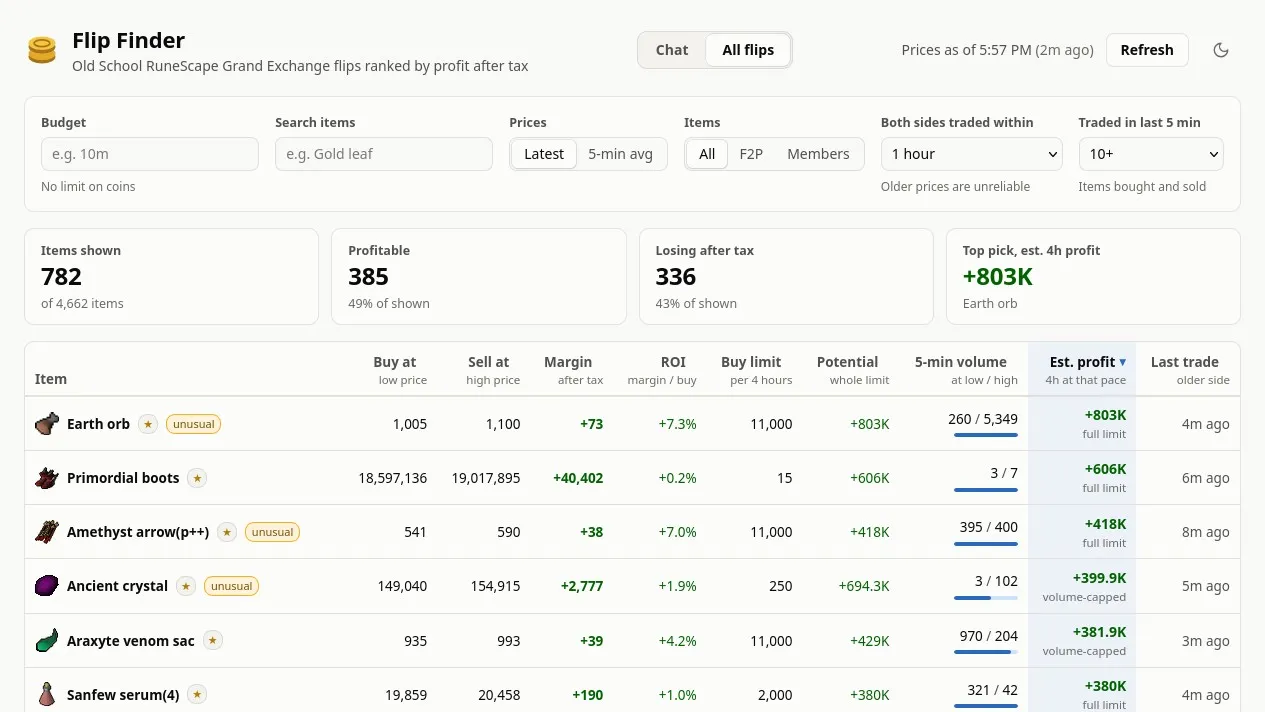
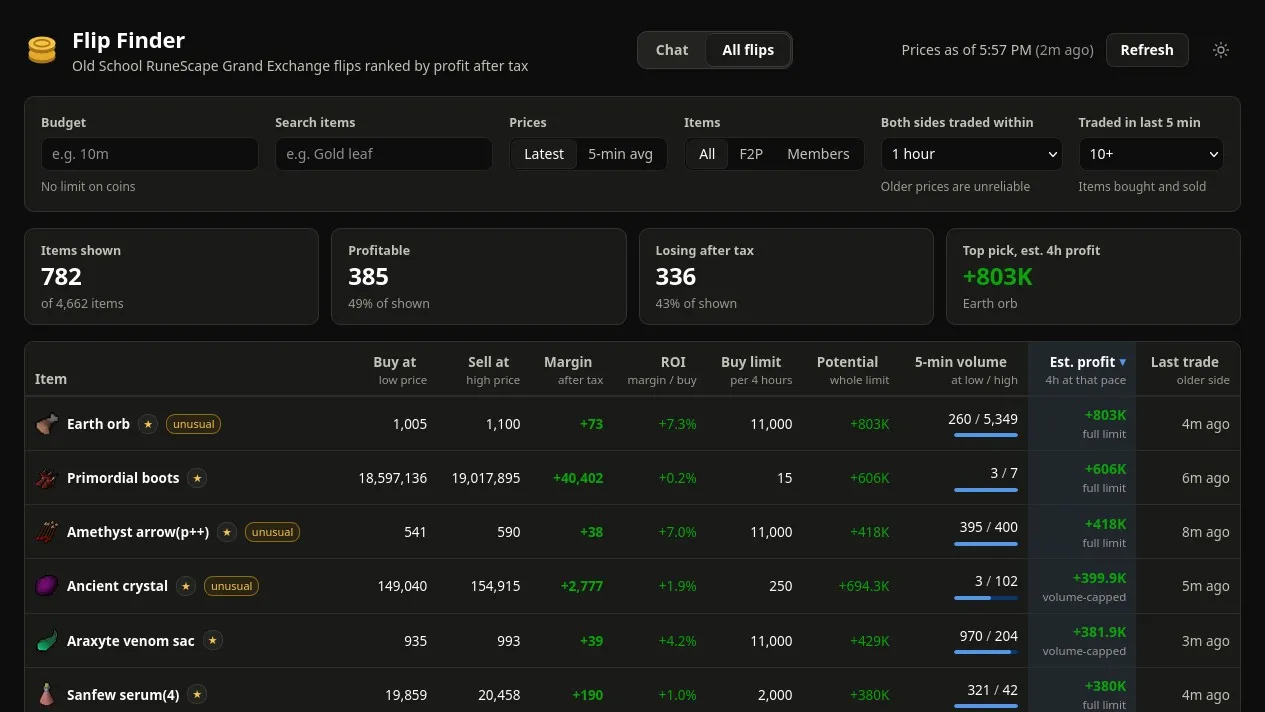
For each item, the table shows the proposed buy and sell prices, after-tax margin, return on investment, buy limit, recent volume and two useful ceilings: the potential profit if the whole limit fills, and the more conservative estimate based on current trading pace. The estimate is still an upper bound— other players are competing for the same trades—so the interface says whether budget, volume or the buy limit is the bottleneck.
Run it yourself
Ranked market in one command
The public container only needs Docker. It starts the service and web app, loads live prices from the Wiki, and refreshes them every five minutes:
docker run --rm --publish 8081:8080 ghcr.io/griffinseibold/osrs-flip-finder:latestOpen localhost:8081. This version includes the full ranked table but deliberately leaves out private account context and the homelab’s local model.
Full AI-assisted setup
The personalized chat is deployed on my homelab with Argo CD. After the platform is running, registering the app is one command:
kubectl --context kind-homelab-dev apply -f https://raw.githubusercontent.com/griffinseibold/Flip-Finder/master/deploy/argocd-application.yamlThen the companion RuneLite plugin connects the account:
- Run Flip Finder from the plugin repository while its Plugin Hub listing is pending.
- Turn on Send account data in the plugin settings.
- Log in and open the bank once so the plugin can see the account’s coins.
- Open
http://flipfinder.localhost:8080on the desktop, orhttps://flipfinder.lab.internalfrom a phone on the home network, and ask the chat for a recommendation.
Any device on the home network can use it, but nothing outside that network can reach it. Argo CD keeps the deployment in sync with the repository, and a persistent volume keeps the price database across restarts.
Design choices
- One ranking engine. The table, API and chat all use the same calculation, so a conversational answer can always be checked against structured data.
- Bulk ingestion. Three requests cover the whole market instead of making one request per item, respecting the Wiki API’s guidance and making refreshes predictable.
- A local model. Account context and chat prompts stay on the machine; the language model is served by llama.cpp on the homelab GPU.
- Useful without AI. The Docker image still provides the core market tool. Chat and RuneLite data are progressive additions, not requirements for the ranking engine.
- Honest uncertainty. Unknown buy limits are not estimated, stale markets are filtered by default, and estimated profit is presented as an upper bound.